You upload
- Colour, texture and motif read from the cloth
- Cut to kurti construction rules
- Photographed on your chosen model
You get
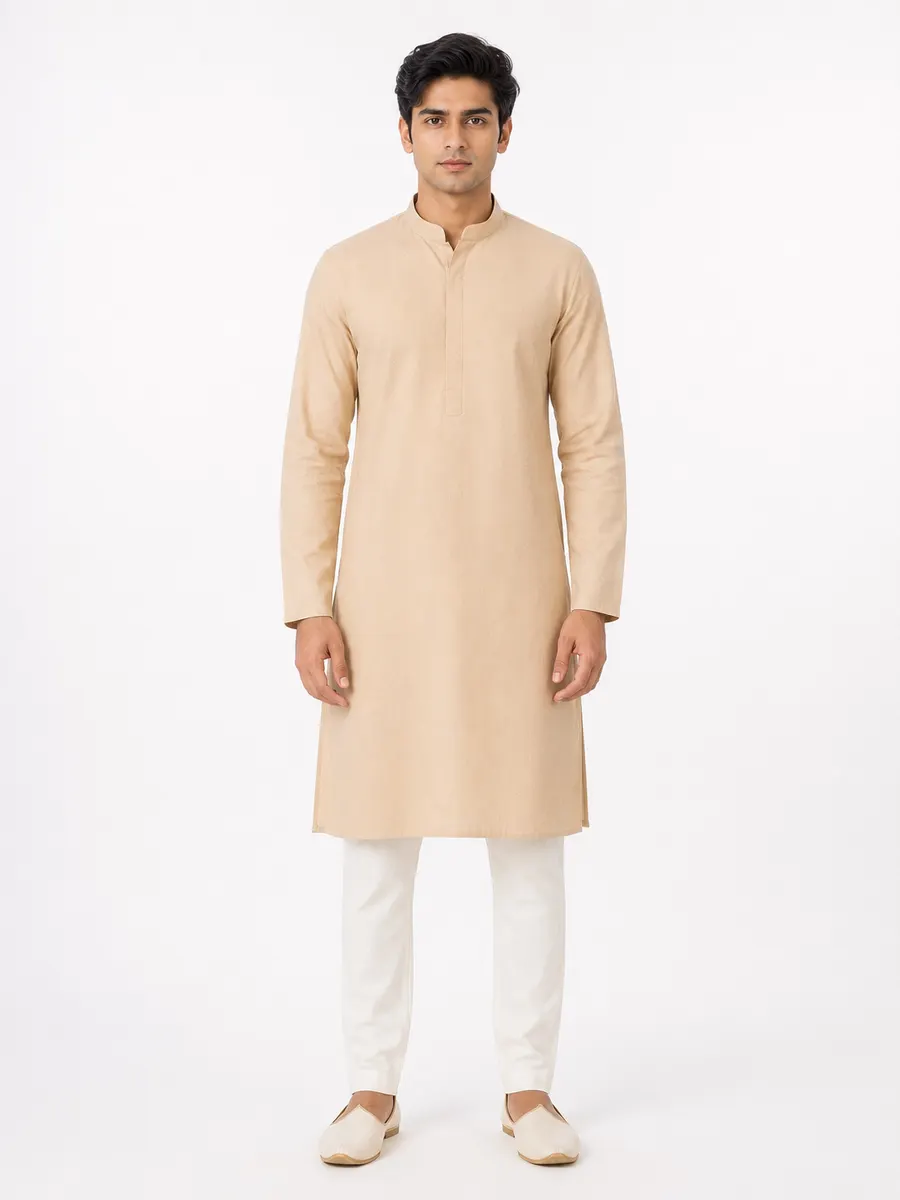
Example output. Generated figure, not a real person.
What makes a kurti different from a kurta when generating photos?
A kurta is a straight tunic. A kurti is a women's tunic shaped to the female figure: front and back panels with bust shaping through darts or princess seams, a defined waist that releases into a gentle A-line, and a designed neckline. Generators that treat the two as synonyms produce a straight tube on a female model — technically a garment, commercially useless.
Vastram Studio keeps them as separate garment profiles with separate construction instructions. Choosing kurti gets you the shaping, the A-line release, the hem slits and the neckline finish that make a kurti photo look like a kurti listing.
The hard part
Where kurti photos usually go wrong
These are the failures a buyer notices before they notice anything else — and the reason a generic image tool isn't enough for garment work.
Print flow across shaped panels
The A-line has to start somewhere
Neckline is a design decision
Construction
How Vastram Studio cuts a kurti
The kurti profile is explicitly written to distinguish it from the straight unisex kurta:
- Front and back panels with bust shaping through darts or princess seams.
- A defined waist that releases into an A-line flare below.
- A designed neckline — round, V, boat or keyhole — finished with a clean facing or binding.
- Set-in sleeves, three-quarter or full length, finished with a neat hem.
- Side seams with short slits at the hem for movement.
- A body ending between mid-thigh and knee.
Where the detailing lands
- Border placement
- At the hem and around the neckline, and optionally at the sleeve ends — the placements a kurti is actually finished with.
- Motif handling
- The generator is instructed to preserve motif scale from the reference and flow the pattern continuously over the shaped panels, following the body's curve rather than distorting or resetting at the darts.
- Drape
- Skims the bust and waist, then falls away softly through the A-line. Flare depth follows the fabric's weight rather than a fixed silhouette.
- Fit across sizes
- Slim, regular and plus are re-cut with chest, waist, sleeve circumference and armhole depth adjusted together — no strained seams, no pulling across the bust, no tent-like excess.
Workflow
From cloth to kurti catalog in four steps
- 1
Upload one reference
Lay a metre of the cloth flat and shoot it straight on in daylight, or photograph the stitched kurti flat with the neckline visible. If the print has a directional motif, make sure the reference shows which way is up.
- 2
Choose kurti and a model
Pick the garment type, model type and body type, then a pose and a background from the studio library — or upload your own model, pose or background to reuse across the season.
- 3
Generate the set
Ask for several poses, backgrounds and colourways in one job. Images arrive as they finish rather than all at once, so you see the first result before the whole batch is done.
- 4
Brand, group and share
Add your logo, design number and rate, group the results into a catalog, export a PDF, or send a private lookbook link on WhatsApp.
Output
What a kurti shoot gives you
- Five-angle catalog sets showing the A-line from front, both sides and back.
- Multiple colourways of one print, for sellers who list the same cut in several shades.
- Instagram-mode frames with warmer, lifestyle lighting for feed and reel covers.
- Detail shots of the neckline and hem border — the two places kurti buyers zoom in.
One credit, one photo
Every image costs one credit, and credits never expire. There is no subscription and no per-seat charge — see pricing for the current packs.
Every image is delivered in the shape you need
The same generated photo downloads as an Instagram feed crop, a story frame, a marketplace listing, a website or PDF image, or a square post — resized on the way out rather than cropped by hand.
Marketplace listing
3:4
Instagram feed
4:5
Story & WhatsApp
9:16
Website & PDF
2:3
Square post
1:1
More on choosing between them in the image-sizes guide.
Questions
Kurti photoshoot questions
Can I control the neckline shape?
Does it work for plus-size kurtis?
Can I generate a kurti and a matching palazzo or dupatta?
Your next kurti shoot starts with one photo of the cloth.
Sign up, upload a reference, and see the first result before you spend anything.
Create your kurti photoshoot2 free credits on signup. No card needed.
Keep reading
AI salwar suit photoshoot
Kameez, salwar and dupatta as a coordinated set from one textile.
OpenBulk & colour variants
One upload, a whole collection — including colourways you never cut.
OpenFor Instagram sellers
Same-day drops: feed and story crops, captions, WhatsApp-ready files.
OpenBuilding a clothing catalog
What goes in a catalog, in what order, and what buyers look for.
Open